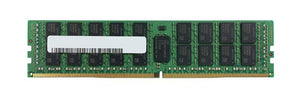
RDIMM vs UDIMM vs LRDIMM: Server Memory Types Explained

Server memory modules that look identical and share capacity, speed and generation can still be completely incompatible. The variable is the register type, and it is the specification most often missed when ordering.
This guide covers what RDIMM, UDIMM and LRDIMM actually do differently and how to work out which your platform needs.
The problem all three are solving
A memory controller has to drive every module connected to it electrically. Each module presents an electrical load, and as you add modules the combined load rises.
Past a certain point the controller cannot maintain reliable signalling. The practical symptoms are a system that will not post with all slots filled, or that runs the memory at a reduced speed to stay stable.
On a desktop with four slots this rarely matters. On a server with sixteen or twenty-four slots, it is the central design problem — and the three module types are three different answers to it.
UDIMM: unbuffered
Unbuffered modules connect the memory chips more or less directly to the controller. Nothing sits in between.
That gives the lowest latency of the three, because there is no intermediate stage to pass through. It also means the controller carries the full electrical load of every chip on every module.
The consequence is a hard ceiling on how many modules and how much capacity a system can address. UDIMMs are standard in desktops and workstations, and appear in entry-level servers and small business systems where total capacity requirements are modest.
UDIMMs exist in both ECC and non-ECC forms — the two specifications are independent, which is a common source of confusion. See our ECC guide.
RDIMM: registered
Registered modules place a register between the controller and the memory chips. Address and command signals pass through it rather than going directly.
The register buffers those signals, so the controller sees one load per module instead of the load of every chip on it. That reduction is what allows a server to populate many more slots with much more total capacity while remaining electrically stable.
The cost is a small latency penalty — signals take an additional clock cycle to pass through the register. In practice that penalty is negligible next to the benefit of being able to fit the memory the workload actually needs.
RDIMMs are the standard for mainstream servers, and if you are buying memory for a rack server without knowing which type it takes, this is the most likely answer — but it should still be confirmed rather than assumed.
LRDIMM: load-reduced
Load-reduced modules take the idea further. Where RDIMM buffers only address and command signals, LRDIMM buffers the data lines as well.
That reduces the electrical load further still, which allows either higher-capacity individual modules or more ranks per channel than RDIMM can support. On systems needing very large total memory, LRDIMM is what makes it reachable.
The trade-offs are real: higher latency than RDIMM because more signals pass through the buffer, and a higher price per gigabyte. LRDIMM earns its place when capacity is the binding constraint — large in-memory databases, dense virtualisation hosts, analytics workloads — and not otherwise.
If RDIMM reaches the capacity you need, RDIMM is the better choice.
They are not interchangeable
This is the part that matters most when ordering.
A platform is designed around one type. The memory controller is built to work with buffered or unbuffered signalling, and it cannot switch.
Fitting the wrong type produces a system that does not post at all, or that posts while ignoring the memory. Mixing types in one system produces the same result — even where both types are individually supported, a mixed configuration generally will not run.
There is no adapter, no BIOS setting and no workaround. The type has to match.
Ranks: the specification behind the specification
Worth understanding because it explains why two modules of the same capacity behave differently.
A rank is a set of memory chips accessed together. A single-rank module has one, a dual-rank module has two, quad-rank more still.
Ranks matter because platforms limit ranks per channel, not just modules per channel. Dual-rank modules consume the budget twice as fast as single-rank ones, so a configuration that works with single-rank modules may not work with dual-rank ones of the same total capacity.
This is where LRDIMM helps most: by buffering data lines it presents fewer effective ranks to the controller, allowing configurations that RDIMM cannot support.
The practical implication: when matching existing memory, capacity alone is not enough. Rank configuration is part of what makes a module compatible, and it is encoded in the part number.
Population rules are not optional
Fitting memory in the wrong slots is a distinct problem from fitting the wrong type, and it costs performance rather than function.
Server memory controllers have multiple channels, and bandwidth scales with the number of populated channels. Filling four slots on one channel and leaving three channels empty gives you the capacity you paid for at a fraction of the bandwidth.
Every server platform publishes a population order specifying which slots to fill in which sequence, usually colour-coded on the board. Following it is what balances modules across channels.
Two further points. Mixing module capacities or speeds within a system often forces everything to the lowest common denominator, so a fast module added to slower ones runs slow. And advanced memory protection features frequently require specific population arrangements — populate incorrectly and you may silently lose protection you believe you have.
Identifying what your server takes
The same approach that works for drives works here, and for the same reason.
Read the part number off a module currently fitted. That string encodes capacity, speed, generation, register type, rank configuration and ECC status together. Matching against it removes every variable at once.
Power the server down, remove one module, photograph the label on both sides, and record it. Working from the server model alone misses configuration differences, because the same model may have shipped with different memory depending on how it was specified.
If you are expanding rather than replacing, match the existing modules exactly where possible — mixed configurations are where most memory problems originate.
Sourcing
We source server memory to order against exact part numbers. Send us the part number from a fitted module, or your server model and generation with the configuration you need, and we will confirm register type, rank configuration and population before quoting.
The bulk quote page explains what to include, or email sarah.jane@techsellerusa.com.
Common questions
What is the difference between RDIMM and UDIMM?
UDIMM connects memory chips more or less directly to the controller, giving lowest latency but limiting how many modules a system can address. RDIMM places a register between them that buffers address and command signals, so the controller sees one load per module — allowing far more total capacity at a small latency cost.
When do I need LRDIMM instead of RDIMM?
When capacity is the binding constraint. LRDIMM buffers the data lines as well as address and command, reducing electrical load further and allowing higher capacities or more ranks per channel. It costs more per gigabyte and adds latency, so if RDIMM reaches the capacity you need, use RDIMM.
Can I mix RDIMM and UDIMM in one server?
No. The memory controller is built for buffered or unbuffered signalling and cannot switch. Mixing types produces a system that will not post, and there is no adapter, BIOS setting or workaround.
What are memory ranks and why do they matter?
A rank is a set of memory chips accessed together. Platforms limit ranks per channel rather than just modules, so dual-rank modules consume that budget twice as fast as single-rank ones. A configuration that works with single-rank modules may not work with dual-rank ones of the same capacity.
Does it matter which slots I use?
Considerably. Bandwidth scales with populated channels, so filling four slots on one channel and leaving three empty gives you the capacity at a fraction of the bandwidth. Follow the platform’s published population order, which is usually colour-coded on the board.
How do I find out which type my server takes?
Read the part number off a module currently fitted. That string encodes capacity, speed, generation, register type, rank configuration and ECC status together. Working from the server model alone misses configuration differences.
Send us the part number from a fitted module and we will confirm register type and rank configuration before quoting.