DDR4 vs DDR5 Server Memory: What Actually Changed

DDR generations are not upgrades in the sense that most hardware is. You cannot move from DDR4 to DDR5 by buying different modules, because the platform decides the generation and the modules are physically keyed so the wrong one will not fit.
This guide covers what actually changed between the generations, when it matters, and why the practical question is usually about the platform rather than the memory.
The generations are platform decisions
Start here because it settles most of the question.
The memory controller lives in the processor, and it is built for one DDR generation. DDR3, DDR4 and DDR5 modules are notched differently along the contact edge specifically so that a module cannot be forced into the wrong slot.
That means "should I use DDR4 or DDR5" is only a live question when you are choosing a server. If you already have one, the generation is decided and the useful questions are capacity, speed and configuration within that generation.
There is no adapter, no BIOS setting and no compatibility mode. This is the one specification with no flexibility at all.
What DDR5 changed
Four things, and their relevance varies considerably by workload.
Higher bandwidth. DDR5 runs at higher data rates than DDR4 at equivalent points in each generation’s life. Bandwidth matters most for workloads moving large volumes through memory — analytics, in-memory processing, large virtualisation hosts with many active guests.
Two independent sub-channels per module. A DDR5 module splits its interface into two narrower channels rather than one wide one. That improves efficiency on many concurrent smaller accesses, which is exactly what a busy server produces.
Higher capacity ceilings. DDR5 supports higher densities per module, which raises the total memory a platform can hold. For workloads where capacity is the binding constraint, this is often the most important change.
On-die ECC. Worth being precise about, because it causes real confusion — see below.
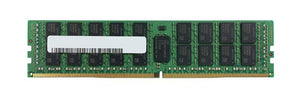
Alongside those, power regulation moved onto the module itself rather than sitting on the motherboard, which is why DDR5 modules look busier than DDR4 ones.
On-die ECC is not the same as ECC memory
This is the single most misunderstood point about DDR5 and it matters when specifying servers.
DDR5 includes on-die ECC, which corrects errors inside the memory chip before data leaves it. It exists because higher densities make internal cell errors more likely, and it protects the manufacturing process rather than the system.
It does not protect data travelling between the module and the memory controller, and it does not report correctable errors to the operating system.
Full ECC — the kind servers rely on — still requires ECC modules and a platform that supports them. A DDR5 module without ECC is a non-ECC module regardless of the on-die correction happening internally.
If a specification says "DDR5 has ECC built in", that is on-die ECC and it is not a substitute. Our ECC guide covers what full ECC actually provides.
Where DDR4 still makes sense
A great deal of running server infrastructure is DDR4, and there is nothing wrong with that.
Existing platforms. If your servers take DDR4, that is the memory to buy. Expanding a DDR4 platform is far cheaper than replacing it to reach a newer generation you may not need.
Cost per gigabyte. DDR4 is a mature generation with broad supply, including a substantial tested secondary market. For capacity expansion on existing hardware, that is a meaningful saving.
Workloads that are not memory-bandwidth bound. Plenty are not. A file server, a domain controller, a departmental application or a modestly loaded virtualisation host is constrained by something other than memory bandwidth, and DDR5 would deliver little.
The honest framing: DDR5 is the current generation and new platforms use it. That does not make DDR4 platforms obsolete, and replacing working hardware to reach a newer memory generation is rarely justified by memory alone.
Speed matters less than population
A point worth more attention than the generation debate.
Within a generation, memory speed is quoted as a data rate. Faster modules cost more. What most people miss is that a system runs all memory at the speed of its slowest module, and often lower still depending on how many modules and ranks are populated.
Server platforms commonly reduce memory speed as slots fill. A configuration running fewer modules may run them faster than a fully populated one, and the platform documentation states these thresholds.
Two consequences. Buying faster modules than the platform will run at that population is wasted money. And mixing speeds means everything drops to the slowest, so a fast module added to slower ones runs slow.
Population arrangement affects performance more than module speed does. Bandwidth scales with populated channels, so filling several slots on one channel while leaving others empty costs far more performance than choosing a slower speed grade would. Our RDIMM and LRDIMM guide covers channels, ranks and population rules.
What generation does not decide
Choosing DDR4 or DDR5 settles less than people expect. Within either generation you still need to get right:
Register type — RDIMM, UDIMM or LRDIMM, which are not interchangeable and are set by the platform.
ECC or non-ECC — a separate specification from register type, and from on-die ECC.
Rank configuration — because platforms limit ranks per channel, not just modules per channel.
Speed grade — within what the platform will actually run at your population.
Capacity per module — which interacts with rank limits and total capacity ceilings.
All five are encoded in the module part number, which is why matching against a fitted module is the reliable approach rather than working from generation and capacity alone.
Identifying what your server takes
Power the server down, remove one module, and photograph the label on both sides. The part number on it encodes generation, capacity, speed, register type, rank configuration and ECC status together.
Record it somewhere you will find it later. The same model of server may have shipped with different memory depending on how it was configured, so the server model alone is not enough to order against.
If you are expanding rather than replacing, match the existing modules exactly where possible. Mixed configurations are where most memory problems start — not because mixing always fails, but because it introduces speed and rank interactions that are hard to predict.
Sourcing
We source server memory to order across DDR3, DDR4 and DDR5 against exact part numbers. Send us the part number from a fitted module, or your server model and generation with the configuration you need, and we will confirm compatibility and population before quoting.
The bulk quote page explains what to include, or email sarah.jane@techsellerusa.com.
Common questions
Can I upgrade my DDR4 server to DDR5 memory?
No. The memory controller lives in the processor and is built for one generation, and modules are physically notched so the wrong one cannot be fitted. Moving to DDR5 means a new platform, not new modules.
Does DDR5 mean I no longer need ECC memory?
No. DDR5 on-die ECC corrects errors inside the memory chip before data leaves it. It does not protect data travelling to the memory controller and does not report correctable errors to the operating system. Full ECC still requires ECC modules and a platform that supports them.
Is DDR4 obsolete?
No. A great deal of running infrastructure is DDR4, and expanding an existing DDR4 platform is far cheaper than replacing it. Many workloads are not memory-bandwidth bound, so DDR5 would deliver little. New platforms use DDR5; that does not make DDR4 platforms obsolete.
Should I buy the fastest memory my platform supports?
Only if it will actually run at that speed. Server platforms commonly reduce memory speed as slots fill, so a fully populated system may run slower than the modules are rated for. Buying above what the platform runs at your population is wasted money.
Can I mix memory speeds?
The system will run everything at the slowest module’s speed, so a faster module added to slower ones runs slow. Where possible, match existing modules exactly rather than mixing.
Send us the part number from a fitted module and we will confirm generation, register type and population before quoting.