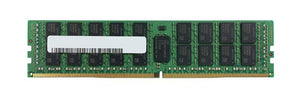
Identifying Server Memory: Reading a DIMM Label Properly

Memory is ordered wrongly more often than almost any other component, because the specification that matters is not the one people quote. Capacity and speed are the easy part; the rest of the label is what decides whether it works.
What is actually on a module label
A server DIMM label carries several pieces of information, and each governs compatibility.
Capacity — the easy one.
Module type and speed, usually as a PC-style code. The number encodes the DDR generation and the rated speed, and the two are linked — DDR4 and DDR5 modules are physically different and not interchangeable.
Register type — whether it is registered, unbuffered or load-reduced. This is the one most often missed, and servers are specific about it.
Rank and organisation, written in a form like 2Rx4 or 1Rx8. The first number is the rank count; the second describes the chip organisation. Both affect what the platform will accept and at what speed.
The manufacturer part number, and frequently a separate server vendor part number if it was sold as a vendor option.
The practical point: two modules with identical capacity and speed can be incompatible because of register type or rank organisation. Ordering on capacity and speed alone is how the wrong module arrives.
Register type is not optional
The single most common incompatibility.
Registered (RDIMM) is what most servers take. A register buffers address and command signals, allowing more modules per channel.
Unbuffered (UDIMM) is typical of desktops and some entry servers.
Load-reduced (LRDIMM) buffers more heavily, allowing higher total capacity, and is used where maximum memory matters.
A server designed for registered memory will not work with unbuffered, and mixing types in one system is generally not supported even where each type is individually accepted. Our memory types guide covers the distinctions.
ECC is a separate question from register type, and both matter — our ECC guide covers why servers require it.
Ranks affect speed and capacity limits
The part people find surprising.
Platforms limit the total number of ranks per memory channel. Higher-rank modules count more against that limit, which means a configuration using dual-rank modules may support fewer modules per channel than one using single-rank.
Two consequences.
Memory speed frequently drops as channels fill, and as rank count rises. A module rated at a given speed may run slower in your platform, which means buying faster memory than the system will run is wasted money.
Maximum capacity depends on rank organisation, not just on slot count. The specification sheet figure for maximum memory usually assumes a particular module type.
Check the running speed after installation. The firmware reports it, and comparing against the module rating tells you whether you got what you paid for — our firmware settings guide covers this alongside channel population.
Population order matters as much as the modules
Because bandwidth scales with populated channels.
Memory filled into one channel while others sit empty delivers the capacity at a fraction of the bandwidth. That is not a fault and it is not visible in any capacity report — the system reports the right total and performs badly.
Two rules that cover most platforms.
Populate channels evenly before adding a second module per channel.
Follow the documented slot order, which is usually marked on the board and specified in the platform documentation. It is not arbitrary.
Where a platform offers advanced memory protection modes, those frequently require specific population arrangements — enabling the mode without meeting the requirement can leave you without the protection you believe you have.
Vendor modules versus generic
A question worth answering honestly.
Server vendors sell memory under their own part numbers. That memory is manufactured by the usual makers and frequently carries vendor-specific labelling and occasionally vendor firmware or SPD data.
In practice, correctly specified third-party modules work in most servers. Two cautions.
Some platforms report non-vendor memory in logs or management interfaces, which is a warning rather than a failure but can complicate a support conversation.
Where a support contract is in place, check whether it has implications. Our support model guide covers reading those terms.
For matching existing memory in a running system, the safest approach is the same as with drives: order against the part number of a module already fitted.
How to identify what you have
Three methods.
Read a module label. Pull one during a maintenance window and photograph it. It carries capacity, speed, register type, rank organisation and part numbers — everything needed.
Query the system. The management controller or operating system reports installed modules including manufacturer, part number, speed and rank. Useful when you cannot open the machine. Our management guide covers access.
Check the platform documentation for supported types and population rules, against the exact server generation — our model naming guide covers finding that.
What to send with an enquiry
The server model and generation. A photograph of a fitted module label, or its part number. How many slots are populated and how many are free. And whether you are adding to existing memory or replacing it entirely — because mixing has rules that replacing does not.
Common questions
Is capacity and speed enough to order memory?
No. Two modules with identical capacity and speed can be incompatible because of register type or rank organisation. Register type in particular — registered, unbuffered or load-reduced — is not interchangeable.
What does 2Rx4 mean on a label?
The first number is the rank count, the second describes chip organisation. Both matter, because platforms limit ranks per channel — so higher-rank modules can mean fewer modules per channel and a lower running speed.
Why is my memory running slower than its rating?
Platforms commonly reduce memory speed as channels fill and as rank count rises. Check the running speed in firmware against the module rating — buying faster memory than the platform will run is wasted money.
Does it matter which slots I use?
Considerably. Bandwidth scales with populated channels, so memory filled into one channel while others sit empty delivers the capacity at a fraction of the bandwidth — and nothing reports a fault. Follow the documented slot order.
Do I need vendor-branded memory?
Correctly specified third-party modules work in most servers. Some platforms report non-vendor memory in logs, which is a warning rather than a failure. For adding to existing memory, order against the part number of a module already fitted.
Send us a photograph of a fitted module label and your server model, and we will confirm what matches before you order.