Server Will Not Power On or Post: A Diagnostic Order

A server that will not start gets blamed on the system board more often than any other component, and the board is rarely the cause. Working through the possibilities in order finds it faster and prevents an expensive wrong purchase.
First, separate the two failures
These look similar and have different causes.
No power at all. Nothing happens when the power button is pressed — no fans, no lights, no sound.
Powers on but does not post. Fans spin, lights come on, and the system never reaches a usable state.
The second is far more common and has a much wider set of causes. Knowing which you have narrows the search immediately.
Read the management controller before touching anything
The single most useful step, and it is frequently skipped.
The management controller runs on standby power, which means it is usually reachable even when the server will not start. It holds an event log that records what happened, and it frequently identifies the failing component directly.
Check it for: recent hardware events, memory or processor errors, power supply status, thermal events, and any post code or state it reports. Our management guide covers access.
If the controller is unreachable too, that is information — it points toward power reaching the board at all, rather than toward a component fault.
Where you cannot reach it remotely, this is what local access is for.
No power at all
Work outward from the machine.
Both power cables, both supplies. Confirm both are seated and both PDU outlets are live. On a switched PDU, an outlet may simply be off — and if someone power-cycled remotely, it may have been left off.
Power supply indicators. These report state, and a supply with no light is different from one showing a fault.
Try each supply alone, in each bay, if the load allows it. That separates a failed supply from a failed bay.
Standby power. If the management controller is alive, power is reaching the board and the problem is downstream of the supplies.
The front panel or power button assembly, which is a cable to the board and can fail or work loose.
Our power supply guide covers why a mismatched pair can also cause a refusal to start on some platforms.
Powers on but will not post
Ordered by how often each is the cause.
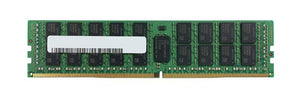
Memory. The most common by a distance. A single failed module can stop a system entirely. Reseat modules, and if that does not help, try the minimum supported configuration — one module in the first documented slot. If it posts, add modules back until it stops, and you have found the failure. Our memory guide covers population order, which matters here because the wrong slot alone can prevent posting.
Processor seating. Particularly after any work involving the heatsink. Bent socket pins are a real possibility and are visible on inspection.
Expansion cards. A failed card can hold the system in post. Remove all non-essential cards and try again — if it posts, add them back one at a time.
Drives and backplane. Less common, but a failed drive or a backplane problem can stall post. Disconnecting storage temporarily separates this.
Firmware settings. A recently changed setting, or a replacement board at defaults, can prevent booting an installed system — particularly boot mode, since legacy and UEFI are not interchangeable. Our firmware guide covers this.
The board itself. Last, not first.
Use what the machine is telling you
Servers report more than desktops do.
Post codes or a display panel on many platforms indicate the stage reached, which narrows the search considerably.
Component fault indicators on the board or on individual modules — on some platforms an indicator next to a failed memory module lights up, which answers the question immediately.
Beep or light sequences, documented per platform.
These are worth reading before starting to remove parts, and it is worth knowing where your platform puts them before you need to look.
What to check before concluding it is the board
Because that conclusion is expensive and usually wrong.
Our decision guide makes this point and it belongs here concretely: before ordering a board, confirm you have tried the minimum memory configuration, reseated the processor, removed expansion cards, checked both power supplies independently, and read the management controller log.
If all of those are clear and the system still will not post, a board is a reasonable conclusion. Even then, on an older platform a complete working system is frequently a better purchase than a board — it covers every failure mode, needs no disassembly, and is often comparable in price. Our board guide covers the comparison, including what a board swap means for licensing and configuration.
Before you start
Two practical points.
Ground yourself and handle components by the edges. Diagnosis involves handling memory and cards repeatedly, which is exactly when static damage happens — and that damage is usually latent rather than obvious. Our ESD guide covers the discipline.
Photograph before disassembly, including cabling and card positions. Reassembly is faster and you avoid the second problem of putting something back wrong.
Common questions
What should I check first?
The management controller log. It runs on standby power so it is usually reachable even when the server will not start, and it frequently identifies the failing component directly. If it is unreachable too, that itself is information.
What is the most common cause of a failure to post?
Memory, by a distance. Reseat modules, then try the minimum supported configuration — one module in the first documented slot — and add back until it fails. Note that the wrong slot alone can prevent posting.
The server is completely dead. Where do I start?
Both cables and both supplies, then whether the PDU outlets are actually live — a remote power cycle may have left one off. Try each supply alone in each bay to separate a failed supply from a failed bay.
When is it actually the system board?
Only after minimum memory configuration, processor reseating, removing expansion cards, checking both supplies independently and reading the controller log have all come back clear. Even then, on an older platform a complete working system is frequently the better purchase.
What should I do before starting?
Ground yourself and handle components by the edges, since diagnosis means handling memory and cards repeatedly — and static damage is usually latent rather than obvious. Photograph the cabling and card positions before disassembly.
If you have worked through this and need a part, send us the management controller log entry and your server model and we will confirm what it points to.