Barcode Check Digits: Validation and Why Scans Arrive Wrong

A scanner that returns twelve digits when your system expects thirteen, or strips a character everyone assumed would be there, is not faulty. It is doing exactly what its check digit settings tell it to. This is one of the most common integration problems in barcode deployments and one of the least understood, because the setting that causes it is buried in a configuration guide nobody reads.
This guide explains what a check digit is, which symbologies use them, the difference between verifying and transmitting one, and why the same barcode can arrive at your application in several different forms depending on settings at both ends.
What a check digit does
A check digit is an extra character calculated from the other characters in the code using a fixed formula. The scanner recalculates it from what it read and compares. If they disagree, the read was wrong and the scanner rejects it rather than passing bad data on.
That is the point. Without one, a partial or distorted read can produce a valid-looking but incorrect number, and your system happily books the wrong item. With one, the overwhelming majority of misreads are caught at the scanner.
Which symbologies carry one
UPC-A is twelve digits, the last of which is a mod-10 check digit. EAN-13 is thirteen digits with the same scheme. These are mandatory and always present.
ITF-14, used for carton and case codes, is fourteen digits with a mod-10 check digit.
Code 39 has an optional mod-43 check character. Because it is optional, both the printer and the scanner have to agree on whether it is being used, and a mismatch means either a rejected read or an extra character in your data.
Code 128 and GS1-128 compute a check character internally. It is part of the symbol's structure rather than part of your data, the encoder adds it automatically, and it is never transmitted. You do not configure it and you will not see it.
Our guide on barcode symbologies covers what each of these is for.
Verify and transmit are two different settings
This is the distinction that causes the trouble.
Verify decides whether the scanner checks the digit at all. It should almost always be on. Turning it off means accepting reads the scanner knows are probably wrong.
Transmit decides whether the check digit is included in the data sent to your application. This is a genuine choice with no universally right answer, and it has to match what the receiving system expects.
So a UPC-A code can legitimately arrive as twelve digits with the check digit, or eleven without it, from the same scanner reading the same label. If your database stores twelve and the scanner is transmitting eleven, every lookup fails and it looks like a data problem.
The other transformations that change the data
Check digit transmission is not the only scanner setting that alters what arrives.
UPC-E expansion. UPC-E is a compressed six-digit form of UPC-A. Scanners can transmit it as read, or expand it back to the full twelve digits. Two scanners on the same counter set differently will report the same product as two different numbers.
EAN-13 to UPC-A conversion. A thirteen-digit EAN beginning with zero is a UPC-A with a leading zero. Scanners can strip that zero and present it as UPC-A, or leave it. Retail systems differ on which they want.
Leading zero transmission on UPC-A is its own setting again.
None of these are faults. They are all deliberate options, and the fix is always to align the scanner with the receiving system rather than to change hardware. Our guide on scanner configuration and fleet deployment covers applying one profile across a fleet so this cannot drift between devices.
Diagnosing a wrong-length scan
When data arrives in an unexpected format, work through it in this order.
Capture exactly what arrives. Scan into a plain text editor rather than the application, so you see the raw characters with no validation or formatting in the way. Count them.
Compare against the human-readable text printed under the barcode. If the printed number is twelve digits and you received eleven, the check digit is not being transmitted.
Check for a terminator. An Enter or Tab at the end is a separate setting and can be mistaken for an extra character.
Then look at the symbology settings for that specific code type, not the scanner in general. These options are per-symbology.
If the read fails entirely rather than arriving in the wrong shape, that is a different problem, covered in barcode not scanning troubleshooting. And if data is arriving with characters dropped from the middle, see the timing section of our guide on barcode scanner interfaces.
If you generate your own barcodes
Internal numbering for locations, assets or work orders is usually free of retail constraints, which makes it tempting to skip validation entirely. Do not.
Use a symbology with a check mechanism. Code 128 gives you one automatically and handles alphanumeric data well. If you use Code 39, enable the mod-43 check character at both ends.
Add length validation in your application. A location code that is always eight characters should be rejected at seven. This catches partial reads that a check digit alone might not.
Consider a prefix per code type. If locations start with L and assets with A, your software can reject a scan that is valid but in the wrong field, which is the failure mode keyboard-wedge scanning is most prone to.
Encode a key, not a record. Our guide on barcode label design covers why, and product serialisation covers structured numbering at scale.
Validate at both ends
The scanner rejecting bad reads is the first line, not the only one. Your application should validate too: check the digit itself where the symbology has one, enforce length, and confirm the value exists before acting on it.
This matters because scanner configuration drifts. A replacement unit arrives with factory defaults, someone scans a configuration barcode from an old sheet, or a fleet is half-updated. Application-side validation turns that into a rejected scan rather than silently wrong inventory. Our guide on cycle counting and inventory accuracy covers where these errors surface.
Sourcing
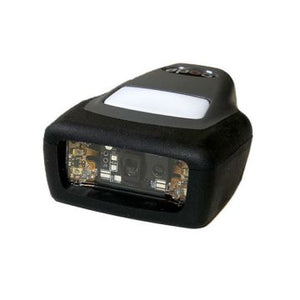
We supply corded, cordless, rugged and presentation barcode scanners from Zebra, Honeywell and Datalogic, and can supply them pre-configured to a profile so check digit and symbology settings are consistent across a fleet from day one. If you are replacing scanners on a working system, send us the existing model and we will match the configuration as well as the hardware. Request a bulk quote or email sarah.jane@techsellerusa.com.
Common questions
What is a barcode check digit?
An extra character calculated from the other characters using a fixed formula. The scanner recalculates it from what it read and compares; if they disagree the read is rejected rather than passed on. It exists so that a partial or distorted read does not produce a valid-looking but incorrect number that your system then acts on.
Why does my scanner return one digit fewer than the printed number?
Because check digit transmission is switched off. Verifying and transmitting are separate settings: the scanner can validate the check digit and then withhold it from the data it sends. A UPC-A code can legitimately arrive as twelve digits or eleven from the same scanner reading the same label. Align the setting with what your receiving system expects.
Two scanners report the same product differently. How?
Several per-symbology settings change the transmitted form. UPC-E can be sent compressed or expanded back to full UPC-A. An EAN-13 starting with zero can be converted to UPC-A or left as is. Leading zero transmission is its own option again. None of these are faults, and two scanners configured differently on the same counter will legitimately report the same item as two different numbers.
Does Code 128 have a check digit?
It has a check character, but it works differently from UPC or EAN. It is computed automatically by the encoder as part of the symbol's structure rather than being part of your data, and it is never transmitted to the application. You do not configure it and you will not see it. Code 39 is the opposite case: its mod-43 check character is optional, so printer and scanner must agree on whether it is in use.
Should I turn check digit verification off to make scanning easier?
No. If codes are failing to read, verification is not the cause and disabling it only removes the protection that stops bad data entering your system. A code that fails verification was almost certainly misread. Investigate print quality, optics range, or damage to the label instead. Verification should stay on; transmission is the setting you adjust to match your application.
Do I need check digits on barcodes I generate myself?
You should have some validation, yes. Code 128 gives you a check character automatically and handles alphanumeric data well, which makes it a sensible default for internal location, asset and work order codes. Add length validation in your application too, and consider a prefix per code type so software can reject a scan that is valid but landed in the wrong field.
If you are replacing scanners on a working system, send us the existing model and we will match the configuration as well as the hardware.