HPE DL360 Gen9 vs DL380 Gen9: Bays, Slots and Buying Guide

The HPE ProLiant DL360 Gen9 is the 1U counterpart to the DL380, and choosing between them is the decision most buyers are actually making. This covers what the 1U form factor costs you and when it is the right choice.
What is the HPE DL360 Gen9?
A dual-socket 1U rack server on socket LGA 2011-3, supporting Intel Xeon E5-2600 v3 and v4 processors, with DDR4 memory across 24 DIMM slots and iLO 4 remote management.
The processors, memory and management are essentially the same as the DL380 Gen9. What differs is everything the chassis height affects, and that is the whole basis of the comparison.
DL360 Gen9 vs DL380 Gen9: what is the difference?
Four differences, all following from 1U against 2U.
Drive bays. The DL360 Gen9 takes far fewer drives — commonly 4, 8 or 10 small form factor bays depending on the chassis, against up to 24 on the DL380. If you need storage capacity in the server itself, this is the deciding factor.
Expansion slots. A 1U chassis has fewer slots, and they are low-profile only. A full-height card does not fit, and a card supplied with only a full-height bracket needs the correct low-profile one sourced separately — our PCIe guide covers this.
Noise and cooling. 1U servers cool with small fast fans rather than large slow ones, which makes them noticeably louder. That matters if the machine sits anywhere near people — our noise guide covers siting honestly.
Rack density. The advantage. Twice as many machines per rack, which matters where rack space is the constraint or the cost.
The short version: choose 1U for density, 2U for drives and cards. Our form factors guide covers the wider trade-off.
How many drives does a DL360 Gen9 hold?
It depends on the chassis, and the bay count is fixed by the backplane fitted.
Common configurations are 4, 8 or 10 small form factor bays. You cannot add bays to a chassis that does not have them — that requires different backplane hardware and cabling, which is chassis-specific.
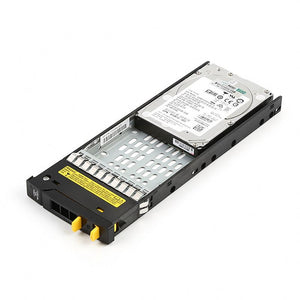
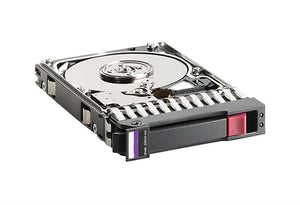
Two further points. Empty bays need Smart Carriers, and the carrier generation must match your chassis. And a 1U chassis takes small form factor drives only, so high-capacity 3.5 inch nearline drives are not an option — our backplanes guide covers why bay size is a chassis decision.
If the machine needs bulk storage, the honest answer is usually a DL380, external storage, or a different design entirely.
DL360 Gen9 processor and memory support
Intel Xeon E5-2600 v3 and v4 on LGA 2011-3, with the same firmware caveat as every platform of this generation: v4 requires firmware support that not every unit has. A v4 processor fits a board shipped for v3 and will not post without it, so update before installing rather than after. Our E5 v4 guide covers the detail.
Memory is 24 DIMM slots of DDR4 registered ECC, twelve per processor. A single-processor machine can populate only twelve. Populate channels evenly, since uneven population reports full capacity while delivering less bandwidth with nothing flagging it — our memory guide covers the rules.
One point specific to 1U: high-power processors are harder to cool in a 1U chassis, so check which processors your specific configuration supports rather than assuming the whole family is available. Heatsinks are also 1U-specific parts.
What is missing from a used DL360 Gen9?
The same list as any used ProLiant, plus one specific to 1U.
Rails, which stay in the rack when equipment is removed.
Drive carriers for empty bays, generation-matched.
Risers — and on a 1U machine there are fewer of them, so a missing riser removes a larger proportion of your expansion capability.
Low-profile brackets for any cards you intend to fit, since full-height brackets are useless here.
The Smart Array cache module and capacitor pack, without which the controller runs write-through and write performance collapses with no error reported — our Smart Array guide covers this.
Is a DL360 Gen9 the right server for me?
Three questions settle it.
How many drives do you need in the machine? More than ten small form factor drives means a different chassis.
What cards must it take? Anything full-height rules out 1U immediately.
Where will it sit? A 1U server in a room where people work is a problem within a day. If there is no machine room, a tower is the honest answer rather than a workaround.
Where it fits well: virtualisation hosts using shared storage rather than local drives, application and web servers, and any deployment where rack units are the scarce resource. Our host sizing guide covers sizing one properly, and note that on virtualisation hosts memory usually runs out before processor does.
Frequently asked questions
What is the difference between DL360 Gen9 and DL380 Gen9?
The DL360 is 1U and the DL380 is 2U. Processors, memory and management are essentially the same — what differs is drive bays (far fewer on the DL360), expansion slots (fewer and low-profile only), noise (1U is louder), and rack density. Choose 1U for density, 2U for drives and cards.
How many drives does a DL360 Gen9 support?
Commonly 4, 8 or 10 small form factor bays depending on the chassis. Bay count is fixed by the backplane fitted and cannot be increased by adding drives. A 1U chassis takes small form factor drives only, so 3.5 inch nearline drives are not an option.
Can I fit a full-height PCIe card in a DL360 Gen9?
No. A 1U chassis takes low-profile cards only. A card supplied with only a full-height bracket needs the correct low-profile bracket sourced separately, and that bracket is its own part.
Is a DL360 Gen9 loud?
Yes, noticeably more than a 2U machine. A 1U chassis has little internal height so it cools with small fast fans rather than large slow ones, and small fans running fast are considerably louder. It is not suitable for a room where people work.
Does the DL360 Gen9 support E5 v4 processors?
Yes at an adequate firmware level. A v4 processor fits a board shipped for v3 and will not post without support for the v4 family, so apply firmware before installing. Note also that high-power processors are harder to cool in 1U, so check what your specific configuration supports.
What should I check on a used DL360 Gen9?
Whether rails, drive carriers, risers and low-profile brackets are included, and whether the Smart Array cache module and capacitor pack are present — without them the controller runs write-through and write performance collapses with no error reported.
Tell us how many drives you need and what cards must fit, and we will tell you honestly whether 1U is the right choice.