HPE DL380 Gen10 vs Gen9: Specs, Memory and Which to Buy

The HPE ProLiant DL380 Gen10 is the successor to the DL380 Gen9, and the question most buyers are actually asking is whether the newer generation is worth the price difference. This covers what changed and when it matters.
What is the HPE DL380 Gen10?
A dual-socket 2U rack server using socket LGA 3647, supporting Intel Xeon Scalable processors, with DDR4 memory across 24 DIMM slots and iLO 5 remote management.
It is the same shape and role as the Gen9 and a different platform underneath. Nothing crosses between them — processors, memory population rules, controllers and management all differ.
DL380 Gen9 vs Gen10: what actually changed?
Five differences worth weighing.
Different processor socket. Gen10 uses LGA 3647 and Xeon Scalable; Gen9 uses LGA 2011-3 and Xeon E5-2600 v3/v4. Processors do not transfer between generations, so an upgrade means new processors regardless.
More memory bandwidth per processor. Xeon Scalable has more memory channels than the E5 generation, which matters on memory-intensive workloads.
Better performance per watt. This is frequently the strongest argument, since running cost accumulates every hour — our TCO guide covers counting it properly.
Newer controllers and NVMe support. Gen10 handles NVMe more readily, though bay-level support still depends on the specific chassis configuration — our backplanes guide covers why a bay accepting an NVMe drive may have no lanes routed to it.
Longer support runway. A newer generation stays supported by operating systems, hypervisors and the vendor for longer, which matters more than raw speed on a machine you intend to keep.
Nothing transfers. Memory, processors, controllers and carriers are all generation-specific. Planning a Gen9 to Gen10 move as an upgrade rather than a replacement is a common and expensive mistake.
Should I buy a DL380 Gen9 or Gen10?
Three questions settle it honestly.
How long will this machine run? On a three-year horizon or less, a Gen9 at a lower price is frequently the better spend. On a longer horizon, the support runway and running cost favour Gen10.
Is it joining an existing fleet? Matching what you already run means shared spares and shared skills, which has real value — our multi-vendor guide covers why spares multiply rather than add across platforms.
What is your power and cooling position? Where a rack is near its circuit limit, better performance per watt is not a nicety — it is what lets you fit the workload at all.
Where the workload is fixed and modest, a Gen9 does the job. Where you are consolidating several older machines, Gen10 usually wins on power alone — our consolidation guide covers the arithmetic.
What processors does the DL380 Gen10 support?
Intel Xeon Scalable, in the Bronze, Silver, Gold and Platinum tiers.
The point that catches people: the tier is not just a speed ranking. It sets your maximum supported memory speed and how many sockets the processor can work in. Choosing a Silver part caps your memory speed before you buy a single module — our Xeon Silver guide covers what each tier determines.
For a second processor, the usual rules apply: same model across sockets, a chassis-specific heatsink as a separate part, and frequently additional fans. Our processor matching guide covers everything that changes.
DL380 Gen10 memory rules
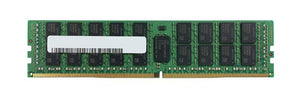
24 DIMM slots of DDR4 registered ECC, twelve per processor.
Three rules. A single-processor machine can populate only twelve. Populate channels evenly, since uneven population reports full capacity while delivering less bandwidth with nothing flagging it. And speed can drop as slots fill, so more capacity can mean less bandwidth.
Gen9 memory does not transfer to Gen10 despite both being DDR4, because the platforms have different population rules and supported speeds. Our memory guide covers checking population tables rather than assuming.
Do I need an iLO licence?
The question people discover at the worst moment, and it applies to both generations.
Basic iLO gives you health monitoring and hardware information without a licence. Remote console and virtual media generally require a licence, and those are exactly the features you need when a machine will not boot and nobody is on site.
Two practical points. Licences do not always transfer with used equipment, so check rather than assume. And where a machine is remote, budget for the licence as part of the purchase rather than discovering it during an incident — our out-of-band guide covers why remote console access is the thing you actually need at 3am.
What is missing from a used DL380 Gen10?
Ask about each specifically.
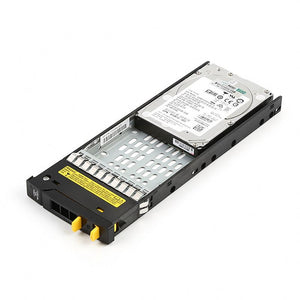
Rails, which stay in the rack when equipment is removed. Drive carriers for empty bays, generation-matched. Risers, without which no expansion cards fit. The Smart Array cache module and capacitor pack — without working cache backup the controller runs write-through and write performance collapses with no error reported. And the iLO licence, per above.
Our build versus buy guide covers why these small parts decide whether a deployment takes hours or weeks.
Frequently asked questions
What is the difference between DL380 Gen9 and Gen10?
Different processor socket and family, more memory channels, better performance per watt, readier NVMe support and a longer support runway. Critically, nothing transfers — processors, memory, controllers and carriers are all generation-specific.
Can I upgrade a DL380 Gen9 to Gen10?
No. They are different platforms, not an upgrade path. Processors use different sockets, memory population rules differ, and controllers and carriers do not cross. Planning it as an upgrade rather than a replacement is a common and expensive mistake.
Is a DL380 Gen10 worth the extra over a Gen9?
On a three-year horizon or less, a Gen9 at a lower price is frequently the better spend. On a longer horizon, or where a rack is near its power limit, the running cost and support runway favour Gen10.
Can I move my Gen9 memory into a Gen10?
No, despite both being DDR4. The platforms have different population rules and supported speeds, so modules do not transfer between generations. Check the Gen10 population tables rather than assuming.
Do I need an iLO licence for remote access?
For remote console and virtual media, generally yes — and those are exactly the features you need when a machine will not boot and nobody is on site. Basic health monitoring works without one. Licences do not always transfer with used equipment.
Does Xeon Scalable tier matter beyond speed?
Yes. The Bronze to Platinum tier sets your maximum supported memory speed and how many sockets the processor works in, so choosing a lower tier caps your memory speed before you buy a single module.
Tell us your workload, your power position and how long the machine needs to run, and we will say honestly whether Gen9 or Gen10 is the better spend.