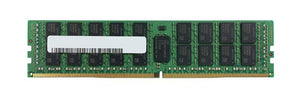
M393A4K40BB2-CTD Samsung 32GB DDR4 RDIMM: Population Rules

The M393A4K40BB2-CTD is a Samsung 32GB DDR4 registered ECC memory module. It sits at the capacity most commonly bought for server upgrades, and the questions that arise are almost always about population rather than the module itself.
Reading the Samsung part number
Samsung server memory numbers follow a consistent structure.
M393 identifies the registered ECC DIMM family — server memory. The characters that follow encode the density and organisation, and the suffix carries the speed grade.
That suffix is the part worth attending to, because two modules identical in capacity and appearance can carry different speed grades, and mixing them has consequences covered below.
Confirm the exact speed grade, rank organisation and voltage against Samsung's specification for your part before ordering, since these vary within the family and they decide compatibility.
Why 32GB is the common choice
Worth understanding as a sizing principle rather than a fact about this module.
Memory does not cost a constant amount per gigabyte. The smallest modules carry packaging overhead; the largest carry a manufacturing premium. Mid-range capacities sit at the value point, and in DDR4 server memory 32GB has generally been that point.
Two consequences for planning.
Work out your target total first, then choose the module size that reaches it best given your slot count — rather than picking a module size and multiplying.
Leave slots free where you can. Filling every slot means the next upgrade requires replacing modules rather than adding them, which wastes what you already bought.
Rank organisation and the population budget
The specification that decides what is actually possible.
A memory channel supports a limited number of ranks, not a limited number of modules. A dual-rank module counts as two against that budget; a single-rank module counts as one.
Two consequences.
You may not be able to fill every slot with higher-rank modules, even though the slots physically exist.
Speed frequently drops as channels fill. Many platforms reduce memory speed at higher population, so a fully populated machine can run its memory slower than a half-populated one — which means more capacity can mean less bandwidth.
The platform's population tables are the authority rather than any general rule. Our server memory guide covers checking them, and this is worth doing before ordering rather than after.
Speed matching
Three rules that apply whenever you are adding to an existing machine.
Everything runs at the slowest module. A faster module added to slower ones gains nothing; a slower one added to faster ones slows the whole machine.
The processor sets a ceiling. A module rated above what the processor supports runs at the processor's maximum, not its own. Paying for a faster grade the platform cannot use is money spent on nothing.
Population reduces it further, per above.
So the effective speed is the lowest of: the module rating, the processor's supported speed, and whatever the population pattern allows. Check all three before assuming the grade you are buying is the grade you will get.
Populate channels evenly
The mistake that costs bandwidth silently and can persist for years.
Server processors have multiple memory channels, and bandwidth comes from using them in parallel. Populating some channels while leaving others empty means the unused ones contribute nothing.
A machine with uneven population reports its full capacity and delivers less bandwidth than it should, with nothing flagging it as a problem. Install in matched sets across channels, following the platform's documented order.
On dual-socket machines, each processor has its own channels. Memory installed for one does not serve the other, and a second processor enables additional slots that need populating to be useful — our processor guide covers what else changes when a second socket is filled.
Third-party memory in servers
A module under a manufacturer's own part number rather than a server vendor's.
Memory is less strictly validated than storage. Where a RAID controller may refuse a non-coded drive outright, correctly specified third-party memory generally runs.
Two cautions. Some platforms flag non-vendor modules in management tooling — a warning rather than a failure, but one that complicates a support conversation. And mixing manufacturers within a machine is where memory problems appear more often than with any single vendor's modules.
Our OEM and third-party guide covers the wider distinction, and the useful question for any seller is what part number will physically arrive.
Before you order
Your server model and generation, and how many processors are fitted. What is installed now — capacity, speed grade and rank organisation per slot, read from the system rather than from documentation. How many slots are free. The platform maximum, total and per slot. And the speed your processor supports, since that may be the real ceiling.
The management controller reports most of this without opening the machine — our management guide covers access.
Common questions
Will my memory run at its rated speed?
The effective speed is the lowest of three things: the module rating, the speed your processor supports, and whatever your population pattern allows. Check all three — paying for a faster grade the platform cannot use is money spent on nothing.
Why can I not fill every slot?
A channel supports a limited number of ranks rather than modules, and a dual-rank module counts as two. Speed also frequently drops at higher population, which means more capacity can mean less bandwidth.
Should I fill all slots with smaller modules or use larger ones?
Work out the target total first, then pick the module size that reaches it given your slot count. Leave slots free where you can — filling every slot means the next upgrade requires replacing modules rather than adding them.
My server reports the right capacity but feels slow. Why?
Possibly uneven channel population. Bandwidth comes from using channels in parallel, so filling some and leaving others empty means the unused ones contribute nothing — and the machine reports full capacity with nothing flagging the problem.
Can I mix this with modules from another manufacturer?
It usually works, but mixing manufacturers within a machine is where memory problems appear more often than with any single vendor. Match capacity, speed grade and rank organisation, and populate with matched modules where you can.
Send us what your management controller reports per slot and your server model, and we will confirm the matching module and population plan.