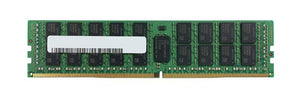
DDR4 Memory Supply: What It Means If You Run Older Servers

DDR4 is the memory in almost every enterprise server built between roughly 2014 and 2023, and its supply is contracting while the installed base still needs it. This covers what that means for anyone running those platforms, and what to do.
Which servers use DDR4?
A very large share of the servers currently in production.
Intel: Xeon E5-2600 v3 and v4, and Xeon Scalable first, second and third generations. That covers HPE ProLiant Gen9 and Gen10, Dell PowerEdge 13th, 14th and 15th generation, and Lenovo System x M5 and ThinkSystem equivalents.
AMD: EPYC 7001, 7002 and 7003 series.
DDR5 arrived with Xeon Scalable fourth generation and EPYC 9004. Everything before that is DDR4, and the two do not interchange in any direction. Our DDR4 vs DDR5 guide covers what changed.
Why DDR4 supply is tightening
Manufacturing capacity is finite, and it is being directed toward the products with the strongest demand. AI infrastructure buyers commit to large memory allocations, and new production capacity goes to current generations rather than to a maturing standard.
The result is a squeeze from both ends: new DDR4 production winds down while the installed base that needs it stays in service. Those servers do not stop needing memory because the memory got harder to buy.
What this means if you run DDR4 servers
Three consequences.
Planned upgrades get more expensive and slower. Adding memory to an existing machine was the cheapest way to extend its useful life. It is still cheaper than a new server, but the gap has narrowed.
Failure replacement becomes a sourcing exercise. A failed module in a machine with no spare means waiting, at a price you do not control.
Refresh timing gets more complicated. Keeping DDR4 machines longer increases your exposure to this; moving to DDR5 platforms means buying at current prices with DDR5 memory that is itself not cheap. Our lifecycle guide covers the decision.
What to do about it
Four responses, in order of how quickly they help.
Buy the spares now. If you run DDR4 platforms you intend to keep for two or more years, hold spare modules in the exact part numbers those machines use. This is the single most useful thing to do, and the window for doing it cheaply is not indefinite. Our spares guide covers sizing a holding.
Do planned upgrades earlier than you intended. If a machine is going to need more memory within its remaining life, buying that memory now is cheaper and more certain than buying it later.
Record exactly what you have. Part numbers, speed grades, ranks and population per machine. Sourcing memory is far faster when you can state the exact part rather than describing it. Our memory identification guide covers reading module labels.
Consider refurbished and pulled memory. Decommissioned enterprise memory is plentiful because so many DDR4 servers are being retired, and memory has no moving parts to wear. A tested module from a decommissioned server is a genuinely good buy. Our condition guide covers what each condition means.
Buying used DDR4: what to check
Four things.
Exact part number and speed grade. A channel runs at the speed of its slowest module, so mixing grades wastes the faster ones. Our DDR4 RDIMM guide covers decoding a Samsung part number as an example.
Module type. RDIMM, LRDIMM and UDIMM cannot be mixed. Match what is installed.
Rank, since some platforms limit ranks per channel.
That it was tested. Memory faults are frequently intermittent, so a full test pass matters more than a power-on check. Our testing guide covers the questions to ask.
And follow the population table when installing, because uneven channel population delivers less bandwidth while reporting full capacity. Our memory install guide covers this.
Is it time to move off DDR4?
An honest answer: not on its own.
Memory supply is one input to a refresh decision, not the whole of it. The others are running cost, support runway, workload growth and licensing. A DDR4 machine serving its workload well, with spares on the shelf, is not urgent to replace.
What has changed is that "we will buy memory when we need it" is no longer a plan. Either hold the spares or accept the sourcing risk deliberately. Our availability guide covers why waiting makes sourcing harder on any thinning part.
Frequently asked questions
Which servers use DDR4 memory?
Xeon E5-2600 v3 and v4, and Xeon Scalable first through third generation, plus AMD EPYC 7001 to 7003. That covers ProLiant Gen9 and Gen10, PowerEdge 13th to 15th generation, and Lenovo M5 and ThinkSystem equivalents.
Why is DDR4 getting harder to buy?
New production is winding down as capacity goes to current generations and AI infrastructure demand, while the large installed base of DDR4 servers continues to need it. Supply is squeezed from both ends.
Should I buy DDR4 spares now?
If you run DDR4 platforms you intend to keep for two or more years, yes, in the exact part numbers those machines use. It is the single most useful response, and the window for doing it cheaply is not indefinite.
Is used DDR4 memory a good buy?
Yes, where it has been properly tested. Memory has no moving parts to wear, and decommissioned enterprise DDR4 is plentiful because so many of those servers are being retired. Match part number, speed grade, module type and rank.
Can I put DDR5 in a DDR4 server?
No. Different slots, signalling and voltage, in either direction. DDR5 requires Xeon Scalable fourth generation or EPYC 9004 or later.
Should I replace my DDR4 servers because of this?
Not on memory supply alone. A machine serving its workload well with spares on the shelf is not urgent. What has changed is that buying memory only when you need it is no longer a reliable plan.
Send us the memory part numbers from your DDR4 servers and we will tell you honestly what availability looks like on those specific modules.