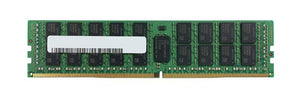
How to Install Server RAM: Slot Order, Channels and No-Post Fixes

Installing memory in a server is not the same job as installing it in a desktop. The physical act takes minutes; the part that matters is which slots you fill and in what order. This covers both.
Before you install: three things to confirm
Module type. Servers take registered ECC (RDIMM) or load-reduced (LRDIMM) modules; desktops take unbuffered. These cannot be mixed, and a desktop module will not work in a server that requires registered. Our module types guide covers the difference.
Speed grade. Every module in a channel runs at the speed of the slowest. Adding a slower module to a faster machine slows everything it shares a channel with. Our DDR4 RDIMM guide covers speed grades.
The population table for your platform. This is the step people skip, and it is the one that decides whether the memory performs. Every server vendor publishes a table showing which slots to fill for each module count.
Why slot order matters on a server
Because server processors have multiple memory channels, and performance depends on filling them evenly.
A processor with, say, four channels delivers its full memory bandwidth only when all four are populated. Filling two channels with large modules and leaving two empty gives you the capacity you paid for and roughly half the bandwidth.
The failure is silent. The machine boots, reports the full capacity, and runs slower than it should, with nothing flagging it. Our memory identification guide covers reading the tables.
Two further rules that follow from this.
Install in multiples matching your channel count where possible, rather than odd numbers.
Memory belongs to a processor. On a dual-socket machine, half the slots serve each processor. A single-processor machine can only use its own half, no matter how many modules you fit.
Installing the modules
Five steps.
Power down and unplug, both supplies on a redundant machine. Hot-swap memory is not a normal feature.
Ground yourself. Memory is sensitive to static, and the damage is frequently latent rather than immediate. Our ESD guide covers why that matters more than people think.
Open the retention clips at both ends of the slot.
Align the notch in the module with the ridge in the slot. It only fits one way. Do not force it; if it will not seat, the module type is wrong.
Press down firmly and evenly at both ends until the clips close themselves. A module that looks seated but is not fully home is the most common cause of a machine that will not post after a memory upgrade.
Replace any air baffle or shroud you removed. It is not optional — it directs airflow across the modules.
After installation: what to check
The machine posts and reports the expected total. If the total is wrong, a module is not seated or is unsupported.
The management controller shows all modules with no errors. iLO, iDRAC or IMM lists each module by slot.
Memory speed is what you expected. This is where uneven population shows up. The controller reports the operating speed, and it may be lower than the module rating for three reasons: the processor caps it, the population is uneven, or a slower module is present.
Our management guide covers reading these.
Server will not post after adding memory
Four causes, in order of likelihood.
A module not fully seated. Reseat every module you touched, pressing until the clips close themselves.
Wrong module type. Unbuffered where registered is required, or mixed types.
Population order not followed. Some platforms refuse to post with an invalid configuration rather than running degraded.
A faulty module. Remove all new modules, confirm the machine posts, then add them back one at a time.
Our diagnostic guide covers the wider set of no-post causes.
Frequently asked questions
Does slot order matter when installing server RAM?
Yes, more than anything else. Server processors have multiple memory channels and deliver full bandwidth only when they are filled evenly. Uneven population reports the full capacity while delivering less bandwidth, with nothing flagging it. Follow the vendor population table.
Can I use desktop RAM in a server?
No, where the server requires registered ECC. Desktop modules are unbuffered and will not work. Registered and unbuffered cannot be mixed either.
Why does my server not post after adding memory?
Most often a module not fully seated. Reseat every module you touched, pressing at both ends until the clips close themselves. Then check module type, population order and whether one module is faulty.
Why is my memory running slower than its rating?
Three possible reasons: the processor caps the maximum supported speed, the channels are unevenly populated, or a slower module is present in the same channel. A channel runs at the speed of its slowest module.
Can I use all the memory slots with one processor?
No. Half the slots belong to each processor on a dual-socket machine. A single-processor machine can only use its own half regardless of how many modules you fit.
Do I need to replace the air baffle?
Yes. The baffle or shroud directs airflow across the memory modules. Leaving it out causes higher module temperatures and fans running harder than necessary.
Send us a photo of a module already in your server and we will confirm type, speed and the population order for your exact platform before you order.