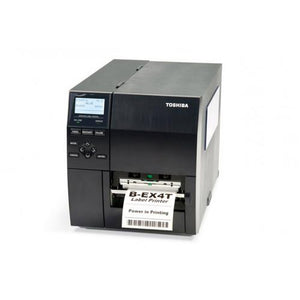
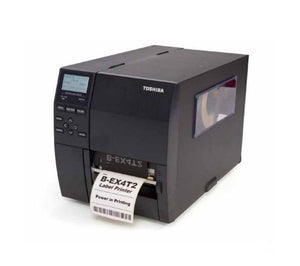
Toshiba B-EX6T1 6 Inch Label Printer: Specs and Buying Guide

The Toshiba B-EX6T1 6 inch label printer is the wide format member of Toshiba's B-EX industrial range, built for labels that will not fit on a 4 inch printer. Drum and pail labels, chemical and hazard labels, large pallet and container labels, and wide product and rating labels all call for a printer with a print width of around 6 inches. The B-EX6T1 handles them with a near edge printhead, thermal transfer or direct thermal printing, and a heavy duty chassis designed for long runs.
This guide explains when a 6 inch printer is worth it, what the BEX6T1TS12QMRM01 in our listing records, how it handles media and ribbon, and how it fits into a site that already runs Zebra code or 4 inch Toshiba printers. For the numbers, go straight to the specifications table.
In this guide
- Products in our listing
- Toshiba B-EX6T1 specs in our listing: BEX6T1TS12QMRM01
- When you need the Toshiba B-EX6T1 6 inch label printer
- Print width, media and resolution
- Ribbon and near edge printing
- Toshiba B-EX6T1 ZPL emulation and integration
- Planning wide label layouts
- B-EX6T1 vs the 4 inch B-EX models
- Refurbished B-EX6T1 checks
- Common questions
Products in our listing
The B-EX6T1 we list is below, and the card links to the full product page.

BEX6T1TS12QMRM01 is listed as refurbished and carries the 30-Day Tech Seller USA warranty; a manufacturer warranty is not guaranteed. Browse the full Toshiba printer range.
Need one B-EX6T1 or several?
Send the part number and quantity and we will confirm the configuration and quote.
Toshiba B-EX6T1 specs in our listing: BEX6T1TS12QMRM01
The table shows what our product data records for this unit. Where Toshiba publishes a different figure, it is noted in the sections below.
| Feature | BEX6T1TS12QMRM01 |
|---|---|
| Print method | Thermal transfer / direct thermal |
| Print resolution | 305 dpi |
| Max print width | 6 inches |
| Max media width | Up to 6.9 in |
| Print speed | 12 ips |
| Printhead type | Near edge |
| Connectivity | USB, Ethernet |
| Command languages (as listed) | TPCL, ZPL2, DPL |
| Listed weight | 44.1 lbs |
| Condition | Refurbished |
| Warranty | 30-Day Tech Seller USA |
When you need the Toshiba B-EX6T1 6 inch label printer
Most label printing runs on 4 inch printers, and a 4 x 6 shipping label is the standard size in logistics. A 6 inch printer earns its place when the label itself is wider than about 4 inches, or when a wide label carries content that cannot be shrunk without losing legibility. Common cases are:
- Drum, pail and tote labels for chemicals, coatings and lubricants, where hazard pictograms, precautionary text and supplier details all have to fit on one label.
- Large pallet and container labels where a site prints 6 inch wide formats so the barcode and human readable text can be read from a distance.
- Wide product, rating and carton labels on larger goods, including labels printed two or more across on a wide liner.
- Shelf and rack signage in warehouses, printed on synthetic stock that lasts.
If every label you print is 4 inches wide or less, a 4 inch industrial printer is cheaper to run than a Toshiba B-EX6T1 6 inch label printer, and 4 inch ribbons are easier to source. Our guide to the Zebra 6 inch industrial printers covers the same decision from the Zebra side, and our industrial vs desktop guide covers the step down to desktop models.
Print width, media and resolution
Toshiba lists a print width of 160 mm (about 6.3 in) for the B-EX6T1, a backing paper width of 50 to 165 mm, and a maximum print length of 1490 mm. Our listing records a 6 inch print width and media up to 6.9 in. Those figures do not match Toshiba's published media range, so if your liner is wider than about 6.5 inches, send us the size before you order and we will confirm it fits.
Toshiba offers the B-EX6T1 at 203 dpi or 305 dpi. Our unit is the B-EX6T1 305 dpi version, which suits labels that mix large barcodes with small regulatory text, such as chemical labels with long precautionary statements, or wide labels that carry small 2D codes. At 203 dpi, fine text on a dense label can lose sharpness. Our 203 vs 300 vs 600 dpi guide explains how to choose.
Speed on our listing is recorded as 12 ips, which matches Toshiba's published maximum of up to 12 ips. Real speed depends on label coverage, darkness and ribbon, so run a test with your own formats before you plan throughput.
Ribbon and near edge printing
Like the 4 inch B-EX4T1, the B-EX6T1 uses a near edge printhead, which Toshiba lists on its specification page. Order ribbon specified for near edge Toshiba printers, in a width that covers your label. Toshiba lists a standard ribbon length of 600 m and mentions up to 800 m, so a long ribbon roll lasts through long runs before a change.
For durable drum and chemical labels, thermal transfer with a resin ribbon on synthetic stock is the usual pairing. Wax resin on coated paper covers most pallet and carton work, and direct thermal suits short life labels where no ribbon is wanted. Our direct thermal vs thermal transfer guide and label media and ribbon selection guide cover the choices. Wide ribbons are more prone to creasing if tension or head pressure is off, and our ribbon wrinkle guide explains how to fix it.
Cutter and peel off options vary by unit, so ask us whether a unit includes an option before you plan around it, and see our media handling modes guide for when each mode fits.
Toshiba B-EX6T1 ZPL emulation and integration
Toshiba lists TPCL and ZPLII as the B-EX6T1 programming languages. TPCL is Toshiba's own printer language. ZPLII is the Zebra programming language, and support for it matters if your warehouse or ERP system already sends Zebra code to 6 inch printers. Our listing records TPCL, ZPL2 and DPL; Toshiba's page does not list DPL, so confirm with us before you rely on it.
Emulation is not always a perfect match for native ZPL, especially with complex formats, downloaded fonts and graphics. Before a full rollout, send a few of your real label formats to one printer and check the output, barcode quality and layout. Our printer command languages guide explains how printer languages differ.
Toshiba lists Ethernet 10/100 Base-T and USB 2.0 as standard, matching the USB and Ethernet recorded on our listing, with serial, parallel, wireless LAN and expansion I/O as optional modules. Ethernet is the usual choice for a shared printer on a line. Our printer connectivity guide covers the options.
Toshiba also describes the B-EX6T1 as RFID ready, with an optional UHF RFID kit. Our listing does not record an RFID module, so treat the unit as a standard barcode printer. For RFID work, our Zebra R110Xi4 RFID guide covers a dedicated RFID model.
Planning wide label layouts
Moving to a 6 inch printer is a good moment to review label design, because the extra width changes what fits and how it reads. A few practical points help the first labels come out right:
- Design to the printable width, not the liner width. Leave a margin on each side so content is not cut off if the media wanders slightly. Toshiba lists 160 mm as the print width, so a label wider than that will have an unprinted edge.
- Place barcodes away from the edges. Barcodes printed close to the edge of a wide label are more likely to be damaged in handling, and quiet zones still apply on wide formats.
- Use the width for readability. Larger human readable text and larger pictograms make a drum or pallet label easier to read from a distance, which is often the reason for going wide in the first place.
- Print two across where it makes sense. Small labels printed two or more across on a wide liner can double output per inch of media, as long as your software and media support it.
- Check rules for regulated labels. Chemical, hazard and shipping labels may have layout requirements from your customers or carriers.
Our shipping label compliance guide covers carrier and retailer layout rules. Once a wide format is designed, print a sample at full speed and check every barcode with a scanner before a long run.
B-EX6T1 vs the 4 inch B-EX models
The B-EX6T1 and the 4 inch B-EX4T1 share the same near edge head design, the same TPCL command language and a similar layout, so operators who know one will find the other familiar. The main differences in Toshiba's data are width and size: the B-EX6T1 prints up to 160 mm wide against 104 mm on the B-EX4T1, measures 331 x 460 x 310 mm against 278 x 460 x 310 mm, and weighs 20 kg against 17 kg. Toshiba lists up to 14 ips on the B-EX4T1 and up to 12 ips on the B-EX6T1.
In our listing, the 4 inch options are the near edge BEX4T1TS12DM01 and BEX4T1GS12DM01, and the flat head BEX4T2GS12M01. A site that prints mostly 4 inch labels with an occasional wide label often runs several 4 inch printers and one wide format industrial label printer, which keeps the wide ribbon range small. If you already run near edge B-EX4T1 printers, the B-EX6T1 is the natural wide companion because both take near edge ribbon.
Refurbished B-EX6T1 checks
A wide printhead costs more to replace than a 4 inch one, so check its condition before the printer goes into service. Print a full width test pattern and look for white lines or voids across the whole width. Our printhead failure guide explains what to look for. Also check that:
- The platen roller is free of glazing or flat spots across its full width.
- The ribbon runs flat with no creasing at your ribbon width.
- Gap or black mark sensing calibrates on your media.
- The printer takes an IP address and prints your formats in the command language you use.
Our refurbished grading guide explains condition terms, and our thermal printer maintenance guide covers the cleaning routine that keeps a wide head healthy. This Toshiba B-EX6T1 6 inch label printer carries the 30-Day Tech Seller USA warranty.
Matching a B-EX6T1 to your wide labels?
Tell us your label width, stock and command language and we will confirm the fit.
Common questions
What is the print width of the Toshiba B-EX6T1?
Toshiba lists a print width of 160 mm, about 6.3 inches. Our BEX6T1TS12QMRM01 listing records a 6 inch print width.
What resolution is the BEX6T1TS12QMRM01?
It has a 305 dpi printhead. Toshiba also offers the B-EX6T1 at 203 dpi, but the unit in our listing is the 305 dpi version.
Does the Toshiba B-EX6T1 support ZPL?
Toshiba lists TPCL and ZPLII as its programming languages. Test your own Zebra label formats on one unit before a full rollout, because emulation can differ from native ZPL on complex layouts.
What ribbon does the B-EX6T1 use?
It uses near edge thermal transfer ribbon. Toshiba lists a standard ribbon length of 600 m. Choose a ribbon width that covers your label.
How fast does the B-EX6T1 print?
Toshiba lists up to 12 ips, and our listing records 12 ips. Actual speed depends on label content, darkness and ribbon.
Does the BEX6T1TS12QMRM01 come with a warranty?
It carries the 30-Day Tech Seller USA warranty. A manufacturer warranty is not guaranteed.
Ready to order a Toshiba B-EX6T1?
Request a quote for one printer or several and we will confirm the configuration.